
Hornys Diner Restaurant System by DRC
$10.00
Prepare menus and inventory handling around the Gabz diner layout
FiveM resource updates included
QBCore scripts fill the gaps between framework basics and polished roleplay experience. This collection includes job systems, heist resources, NPC interactions, garage tools, and economy features that integrate with your QBCore build. Many titles also support ESX or Qbox if you run a hybrid setup or migrated server.

Prepare menus and inventory handling around the Gabz diner layout

Configure language and core settings before enabling synchronized fingerprint scans

Connect inventory and fuel resources before configuring vehicle device behavior

Choose your voice integration before configuring channels and radio access

Prepare OneSync, database resources and stock rules before opening sales

Match Gabz service points to your inventory, target and society resources

Configure status visibility and vehicle instruments for ESX or QB-Core

Choose open access or supported job restrictions before enabling scans

Choose voice integration and configure stress, seatbelt and vehicle exclusions
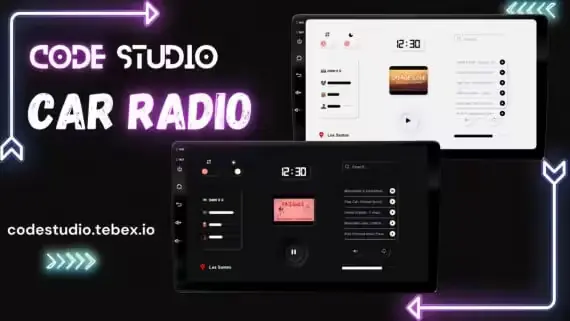
Connect Xsound before configuring passenger controls and vehicle access

Editable island maps and production timing for your server economy

Connect the included bridge before configuring appliances and crafting checks

Preserve item metadata while moving inventory objects into the world

Set attempt rules and connect a standalone keypad to your existing interaction

Review inventory compatibility, job checks and spray effect settings first

Connect compatibility hooks before configuring lab progression and item effects

Draw territory boundaries and configure the economy before enabling claims

Choose society banking and duty rules before configuring employee progression

Choose hand delivery or supported inventory item mode after installing gfx-lib

A QBCore and OX setup for mapped processing locations and trunk interactions
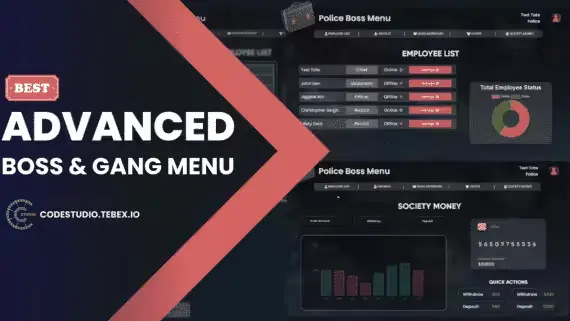
Choose society interactions and staff logging before configuring employee access

Import existing doors before configuring building access and relock rules

Configure the sprint approach and recovery time for a standalone tackle

Set vehicle eligibility and optional item installation before enabling tracking
QBCore remains the most popular framework powering FiveM roleplay servers because it provides structure without forcing a single path. Scripts built for QBCore extend that foundation with concrete systems: job loops, business mechanics, heist frameworks, NPC interactions, vehicle utilities, and economy tools. The right script solves a specific problem on your server instead of adding bloat.
Scripts in this collection are built for QBCore first. Many also support ESX, Qbox, or both, but QBCore is the primary target. Before you buy, take a minute to understand what the script does, what it needs to run, and how it fits into your existing setup.
Always read the full product page and included readme before installing. QBCore scripts typically go into your resources folder and start in server.cfg, but exact steps vary. Some scripts need SQL migrations, item registration, job setup, permission entries, locale files, exports, event handlers, or additional resource dependencies before they function.
Test new scripts in a staging environment before going live. This catches missing items, database conflicts, console errors, and dependency mismatches without affecting players. Maintain a backup of your server database and file structure each time you add a major resource.
Framework version and server build matter as well. If a script lists ESX or Qbox as secondary targets, verify the install mode and bridge setup before enabling it on QBCore. Your current resource list, inventory system, database schema, and permission structure all influence whether a script installs cleanly or requires custom edits.
A focused FiveM scripts marketplace saves you time by grouping resources by what they do and what framework they target. Instead of hunting through releases with unclear documentation, you can shortlist scripts in a category built around real server owner needs.
Compare scripts by compatibility, dependencies, and roleplay impact before you commit. Read install notes, check dependency requirements, and make sure the feature set matches your server direction. Whether you are starting a new QBCore server or refreshing an existing one, buying the right scripts means faster setup and more polished gameplay for your players.
Most scripts are built for QBCore first. Many titles also support ESX or Qbox, and individual listings make this clear. Always check the product page to see which frameworks are supported before you buy.
That depends on the script. Common dependencies include a specific inventory system like ox_inventory, a targeting resource like ox_target or qtarget, a menu handler, a notification library, or database tables. The product page should list all dependencies up front. If it does not, ask the developer before purchasing.
Some QBCore scripts can work on ESX or Qbox if the developer includes bridges or compatibility mode. Check the product listing to see which frameworks are officially supported. Do not assume a QBCore script will work on other frameworks without confirmation from the developer.
Look for listings that mention optimization, server-side processing, or testing on high-population servers. Scripts that handle heavy lifting server-side and minimize client loops run better under load. If the listing does not discuss performance, ask the developer before you buy.
Back up your database and server files first. Read the full documentation and dependency list. Test the script in a staging environment to catch conflicts or missing items before you push it to live players. This prevents downtime and ensures a smooth rollout.
Support depends on the developer and product. Look for listings that include developer contact info, update changelogs, and clear documentation. Some developers offer ongoing support and regular updates, while others provide one-time purchases with basic documentation. Check the product page to understand what you get.
That depends on whether the script is sold as open source or escrow. Read the product details to see if you get editable code or an escrow lock. Most QBCore scripts allow config changes without code edits, which gives you flexibility without needing to modify the core resource.