
Recently added
DRC Free House Robbery Script
FREE
Prepare safe, laser and entry dependencies before configuring house access
FiveM resource updates included
A free resource still needs to fit the server you run. Use the listings to check framework requirements, existing interfaces and configuration work before adding a dealership, chat, vehicle utility or activity.
Prepare safe, laser and entry dependencies before configuring house access

Prepare ox_lib and role access before configuring AI hire rules

Standalone tire effects with a surface check you control in config

Match target, audio and inventory resources before configuring the mission

Prepare server artifacts and database resources before enabling medical calls

Prepare framework connections and impound access before placing garages
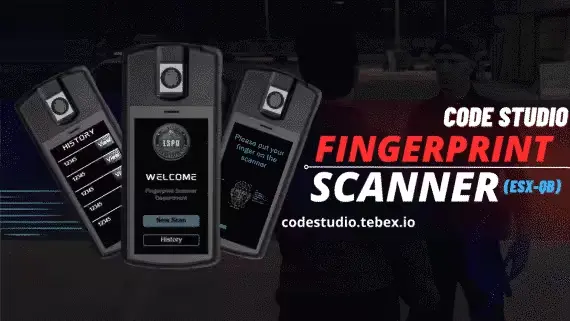
Configure language and core settings before enabling synchronized fingerprint scans

Choose your voice integration before configuring channels and radio access

Configure status visibility and vehicle instruments for ESX or QB-Core

Choose voice integration and configure stress, seatbelt and vehicle exclusions

Set attempt rules and connect a standalone keypad to your existing interaction

Import existing doors before configuring building access and relock rules

Configure the sprint approach and recovery time for a standalone tackle

Connect washing and security interactions to your existing target resources

Prepare the supported inventory and target connections before survival sessions

Standalone color controls with editable command or inventory item activation

Connect boii_utils before configuring chat commands and staff message logs

Multiple player-owned dealerships, each with its own job and stock

Adjust load timing, status placement and mileage display from settings

Configure location specific rentals with mileage and hire duration records

Configure locations and role access without extra framework dependencies

Position the arena and configure controls without a framework dependency

Included library with material restrictions and editable processing effects
Start with the resource's documented dependencies and installation notes. Navigation tags help you browse, but the body of a listing can describe a narrower implementation. Confirm the actual core and connected resources before changing your setup.
Look at the menus, storage, notifications and vehicle systems you already use. Decide whether the new resource will replace an existing component or add a separate interaction. Review any documented item, permission and database changes together.
MT Dealerships, Boii Chat and MT Garage solve different tasks. Read their individual setup notes, configure the required connections and test the affected player workflow on a development server. A free listing should receive the same compatibility review as any other addition.
Requirements vary by resource. Check the documented core, dependencies and configuration steps on each listing instead of assuming that a free resource installs without preparation.
Use tags to narrow the list, then read the documented implementation and dependencies. A listing may describe a specific QB resource stack or a bridge that you need to configure.
Test the workflow the resource changes, including permissions, saved state and any connected inventory or UI. Check existing resources for overlapping behaviour before keeping the addition.