
Tequi-La-La Bartender Business by DRC
$10.00
Default interior coordinates with editable staff and service interactions
FiveM resource updates included
Qbox scripts that state their compatibility up front, so you are not left guessing whether a resource written for QBCore will survive on your server. Most listings here support Qbox alongside QBCore and ESX, and each product page tells you which before you pay.
Default interior coordinates with editable staff and service interactions

Prepare safe, laser and entry dependencies before configuring house access

Pick target or drawtext prompts for the shared revolver table

Choose target interactions, job access and recovery payout rules
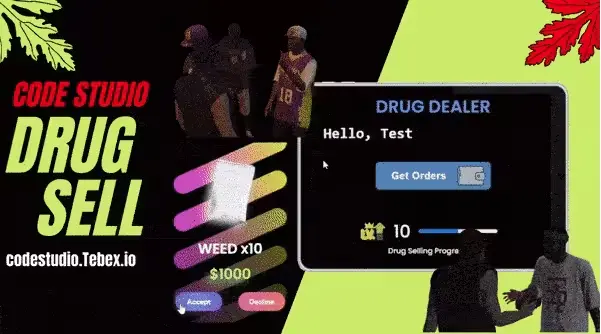
Configure dealer rewards and night pricing before setting progression gates
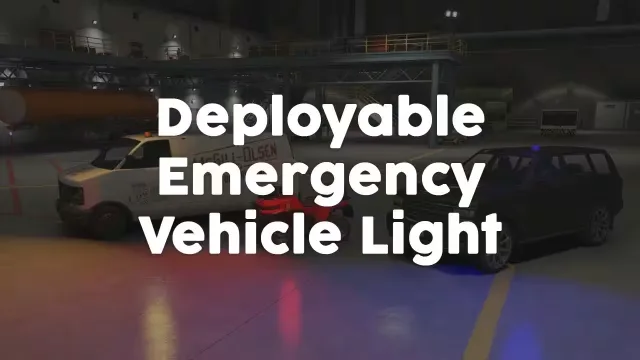
Configure roof placement and optional item use around your vehicle models

Plan crew responsibilities around the bank security and entry sequence

Adjust brake fade and cooling formulas without a framework dependency

Prepare ox_lib and role access before configuring AI hire rules

Standalone tire effects with a surface check you control in config

Database connector choices with configurable access and dispatch views

Prepare database resources and staff permissions for browser moderation
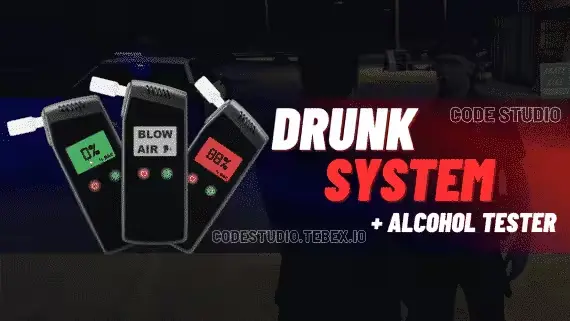
Connect the HUD response before configuring alcohol thresholds and test language

Match target, audio and inventory resources before configuring the mission

Prepare server artifacts and database resources before enabling medical calls

Prepare framework connections and impound access before placing garages

Configure violation handling and spawn limits around your existing server rules

Prepare qb-core and OneSync before configuring production and sale routes

Plug in, pull fault codes, and flash hidden mods

Connect the QB resource stack before configuring job markers and grades

Connect kq_link before configuring vehicle loot and police responses

Connect target and society banking before configuring player shop permissions

Prepare the OX resources before configuring workshop stations and item mods

Choose target and menu connections before configuring fermentation and sales
Qbox has picked up real momentum among FiveM server owners who want QBCore's familiar structure with a cleaner, actively maintained core. The catch is that plenty of scripts still assume old qb exports and break the moment you swap frameworks. This category exists to shortcut that problem. Every listing here is grouped for Qbox servers, so you can confirm compatibility on the product page instead of finding out in your server console at 2am.
The range covers most of what a roleplay server actually needs. On the vehicle side there is the JG Integrated Garage and Impound System, JG Dealerships v2 with business showrooms, and JG Advanced Mechanic & Tuning for a proper mechanic job loop. KuzQuality holds down the simulation end with Brake Thermal Dynamics, Realistic Offroad Physics, and the Drift Tires and Car Lift Bundle. Criminal gameplay gets Island Cocaine Production, Smash N Grab 2.0, Vehicle Hideouts 2.0 and an NPC Looting System, while police RP picks up the Detective Body Investigation Kit for working crime scenes. There are even free entries, Free Synced Drift Smoke and the Free OBD Car Diagnostic Device, if you want to see how a creator builds before spending anything.
Most listings in this category support Qbox, QBCore and ESX, but with scripts from several creators the coverage is not uniform, so treat the framework notes on each product page as the source of truth. Dependencies follow the same rule. If a script needs ox_lib, a specific inventory or extra database tables, the listing states it, and confirming that your stack already covers those requirements is the difference between a ten minute install and a weekend of debugging.
The install itself rarely gets complicated. Add the resource to your server, ensure it after your framework and its dependencies, import any included SQL, then work through the config to match your jobs, permissions and locations. Scripts sold with Keymaster delivery download through your Cfx.re account, and those using Asset Escrow keep their core files protected while leaving the config open for editing.
CfxMods is an independent FiveM script store, and the point of this page is filtering. Instead of scrolling a general catalog and reading every description for the word Qbox, you start from a set where Qbox support is already the baseline and the remaining question is only whether a given script also fits your inventory, target and economy setup. The free KuzQuality resources give you a zero cost way to judge code quality before committing to a bigger purchase, and each listing spells out its dependencies, configuration options and update arrangements so the decision rests on facts rather than a trailer. When you are ready to buy Qbox scripts for a live server, that clarity is what saves you from refund tickets later.
Many of them do. Listings in this category support Qbox, and a large share also cover QBCore and ESX through bridges or separate versions. The framework notes on each product page are the source of truth, so check them against your exact setup before buying.
Qbox began as a fork of QBCore and keeps many of the same patterns, so most QBCore knowledge carries over. It is actively maintained and works closely with the ox_lib ecosystem. For a script buyer the practical question is simply whether a resource targets Qbox natively or reaches it through a bridge.
ox_lib is the most common requirement across modern Qbox releases, and many scripts also expect a target system or a specific inventory. Every listing should name its dependencies and any database tables. Read that section first so you know whether your existing stack already covers them.
It varies by creator. Some releases use Asset Escrow to protect core files while leaving the config open for editing, and others ship fully open. The product page states which model each script uses, so check there if you plan heavy customisation.
Add the resource to your server and ensure it after your framework and its dependencies. Import any included SQL, then go through the config to set jobs, permissions, prices and locations. If the script uses Keymaster delivery, you download it through your Cfx.re account rather than as a plain zip.
Yes. Free Synced Drift Smoke and the Free OBD Car Diagnostic Device both sit in this category. They are a low risk way to see how a creator structures and optimises their resources before paying for something larger like a garage or dealership system.