Jobs Creator Admin Panel by Jaksam
Connect the QB resource stack before configuring job markers and grades
Use the filters to cut a broad FiveM catalog down to resources that fit your server. The listing page is where you can verify supported cores, prerequisites, configurable files and delivery terms.
Connect the QB resource stack before configuring job markers and grades
Configure lifts and tire fitting while retaining existing handling files
Standalone tire effects with a surface check you control in config
Plan crew responsibilities around the bank security and entry sequence
Choose the framework version before configuring ownership and vehicle stock
Configure dealer rewards and night pricing before setting progression gates
Prepare QB interaction resources for the included Patoche bar interior
Configure each theft interaction around cooldowns, loot and failure responses
Configure eligible vehicles and listing duration while preserving tuning data
Preserve item metadata while moving inventory objects into the world
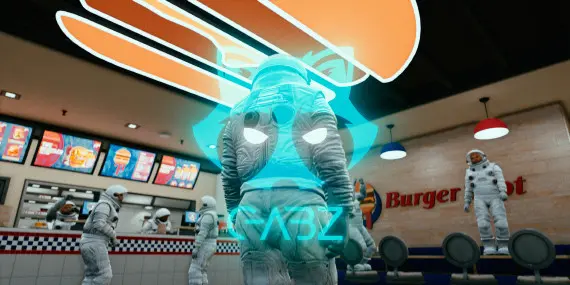
Prepare menus and inventory handling around the Gabz diner layout
Connect inventory metadata before configuring blueprint and bench progression
Prepare the restaurant interior before mapping kitchen and counter interactions
Connect skill checks and target interactions before setting recipe progression
Configure persistent colors and vehicle controls on a standalone HUD setup
Set vehicle eligibility and optional item installation before enabling tracking
Connect compatibility hooks before configuring lab progression and item effects
Build gang access and impound rules through the visual Configurator
Connect the included bridge before configuring appliances and crafting checks
Configure location specific rentals with mileage and hire duration records
Configure saved washer state, processing rules and marked bill handling
Connect kq_link before configuring vehicle loot and police responses
Prepare the club interior before connecting your bar and staff interactions
Match target and menu resources before setting butcher processing rewards
The fastest way through a mixed FiveM catalog is to rule out poor fits early. Select the framework that already anchors your server, choose the studio or price range when it matters, and open only the listings that address the system you are replacing or adding.
The QBCore, ESX and Qbox views reflect support declared for each resource. Multi-framework releases can appear in more than one view; standalone tools may work without a roleplay core. Confirm the exact version and bridge requirements on the listing.
Before ordering, note the dependencies, install sequence, protected and editable files, update access and any product-specific terms. If one of those details is missing or ambiguous, ask CfxMods first rather than testing compatibility on a live server.