
Gang Empire System
$20.00
Configure rank access and territory points before opening gang progression
FiveM resource updates included
Use the filters to cut a broad FiveM catalog down to resources that fit your server. The listing page is where you can verify supported cores, prerequisites, configurable files and delivery terms.
Configure rank access and territory points before opening gang progression

Set attempt rules and connect a standalone keypad to your existing interaction

Choose inventory support before configuring recipes, staff and service stations

Configure the sprint approach and recovery time for a standalone tackle

Configure locations and role access without extra framework dependencies

Position the arena and configure controls without a framework dependency

Prepare OneSync, database resources and stock rules before opening sales

Standalone color controls with editable command or inventory item activation

Configure habitats, rental deposits and delivery payouts before opening shifts

Choose voice integration and configure stress, seatbelt and vehicle exclusions
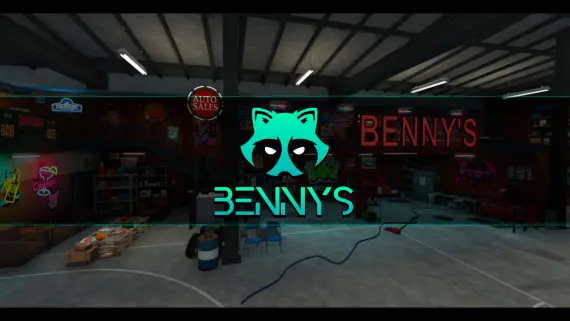
Prepare the workshop interior before placing mechanic and staff interactions

Adjust brake fade and cooling formulas without a framework dependency

Connect washing and security interactions to your existing target resources

Prepare database resources and staff permissions for browser moderation

Choose open access or supported job restrictions before enabling scans

Prepare server artifacts and database resources before enabling medical calls

Connect the HUD response before configuring alcohol thresholds and test language

Configure status visibility and vehicle instruments for ESX or QB-Core

Pick target or drawtext prompts for the shared revolver table

Choose society banking and duty rules before configuring employee progression
20 of 92 listings are visible
← Return to earlier resultsThe fastest way through a mixed FiveM catalog is to rule out poor fits early. Select the framework that already anchors your server, choose the studio or price range when it matters, and open only the listings that address the system you are replacing or adding.
The QBCore, ESX and Qbox views reflect support declared for each resource. Multi-framework releases can appear in more than one view; standalone tools may work without a roleplay core. Confirm the exact version and bridge requirements on the listing.
Before ordering, note the dependencies, install sequence, protected and editable files, update access and any product-specific terms. If one of those details is missing or ambiguous, ask CfxMods first rather than testing compatibility on a live server.