
Tequi-La-La Bartender Business by DRC
$10.00
Default interior coordinates with editable staff and service interactions
FiveM resource updates included
Choose job resources around the core, map and management systems your server already uses. Check the documented setup for restaurant work, workshops and businesses before adding menus, employee permissions or another economy loop.
Default interior coordinates with editable staff and service interactions

Choose target interactions, job access and recovery payout rules

Plug in, pull fault codes, and flash hidden mods

Connect the QB resource stack before configuring job markers and grades

Prepare the OX resources before configuring workshop stations and item mods

Choose target and menu connections before configuring fermentation and sales

Prepare menus and inventory handling around the Gabz diner layout

Configure language and core settings before enabling synchronized fingerprint scans

Prepare OneSync, database resources and stock rules before opening sales

Match Gabz service points to your inventory, target and society resources

Editable island maps and production timing for your server economy

Connect the included bridge before configuring appliances and crafting checks
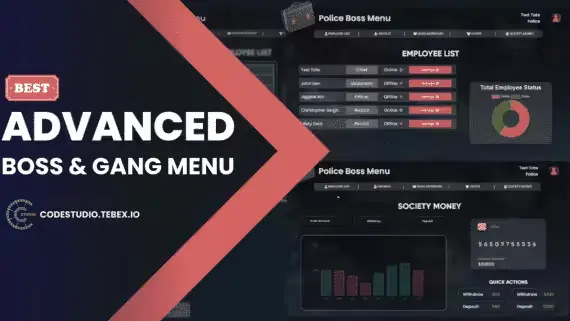
Choose society interactions and staff logging before configuring employee access

Choose item or command activation and restrict weapons used behind shields

Choose the framework version before configuring ownership and vehicle stock

Multiple player-owned dealerships, each with its own job and stock

Configure job access, engine presets and servicing before opening the shop

Configure eligible vehicles and listing duration while preserving tuning data

Configure habitats, rental deposits and delivery payouts before opening shifts

Choose inventory support before configuring recipes, staff and service stations

Prepare the Gabz map, QB consumables and progress resource before cafe shifts

Match the interior coordinates to your target, boss and appearance resources

Prepare QB interaction resources for the included Patoche bar interior

Gabz kitchen coordinates with inventory and society integration choices
Identify the inventory, target, society and banking resources already installed. Read the selected listing for supported connections and required libraries. A general framework tag does not replace the implementation notes for that job.
Restaurant and workshop scripts may supply map presets, require a separate interior or include a particular map. Boii Patoche includes its interior; Boii Uwu Cafe requires the Gabz Uwu Cafe map and documents a QBCore setup. Check service points and staff access against the actual location.
Configure employee access, item handling and management connections before testing the work itself. Follow the route from starting a shift to completing a sale or service, then check how the selected resource records payments and shared state. Keep vehicle storage, map resources and job behaviour separate in your installation review.
Start with your installed core and the dependencies you are prepared to run. Then check map requirements, staff management and the workflow described by each listing.
Map inclusion varies. Some listings include a named interior, while others require one or only supply coordinate presets. Read the selected listing before planning the venue.
No single inventory choice covers the whole shelf. For example, MT Restaurants documents full ox_inventory support and limited features with new qb-inventory. Check each resource separately.