FiveM MLOs and Custom Map Interiors

Custom interiors and map expansions give your server distinct locations for roleplay, jobs, and player hangouts. These stream-ready FiveM MLOs and YMAPs work alongside QBCore, ESX, Qbox, or standalone setups. Every map resource features verified collisions, clean portal rendering, and reasonable stream memory footprints.

FiveM MLOs and Custom Map Interiors FiveM scripts by FiveM MLOs and Maps

Building a distinct FiveM server relies on creating spaces where players actually want to spend time. Base game GTA V interiors lack the floor plans, room counts, and specialized areas needed for serious roleplay. Dropping a custom MLO into a key location transforms a generic street corner into an active hub for emergency services, criminal organizations, or civilian workers.

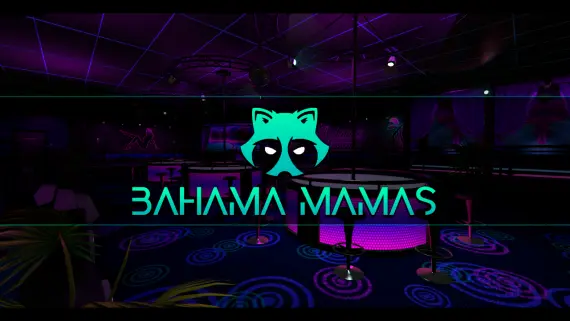
This collection covers stream-ready interiors, map extensions, and custom building shells engineered specifically for FiveM communities. Whether you need a dedicated police precinct, a bustling mechanic shop, a night spot like Bahama Mamas, or a regional convenience store network, these maps give your community functional locations to gather, trade, and roleplay.

What to look for in FiveM MLOs and maps

  • Portal rendering and occlusion: properly placed interior portals tell the GTA V engine when to render external buildings and skyboxes. Accurate portal geometry prevents frame drops when crossing room thresholds and stops rain or outdoor light from bleeding through ceilings.
  • Collision mesh precision: solid collision geometry stops players from clipping through walls, slipping through staircases, or getting stuck on invisible props during high-speed chases and active firefights.
  • Door hashes and lock integration: practical roleplay requires controlled access. Quality interior builds supply exact door coordinates and hashes that map directly into ox_doorlock or qb-doorlock config files.
  • Texture dictionary compression: massive uncompressed YTD files hog client VRAM and cause texture loss across the city. Optimized map files manage texture budgets so player vehicles and custom clothing stream cleanly nearby.
  • Base game IPL management: custom builds that replace vanilla landmarks require disabling default game IPLs. Clean map packages highlight affected zones so you can clear original interiors without leaving floating props behind.
  • Spatial flow and RP layout: layout dictates player behavior. A well designed police department provides separate corridors for booking, evidence, and public waiting rooms, while a hospital needs wide hallways for gurneys and distinct triage bays.

Popular interior types for FiveM servers

  • Emergency services and government: high traffic hubs including central police departments, medical centers, fire stations, and courthouses. These demand clear room layouts, secure holding cells, and spacious vehicle bays.
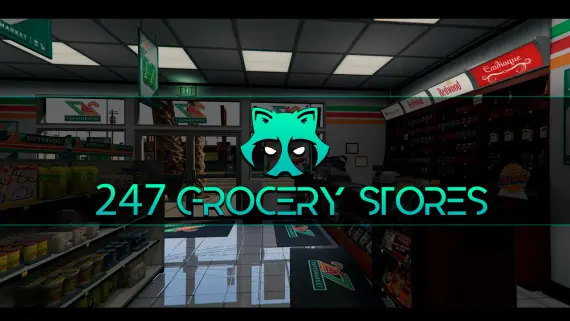
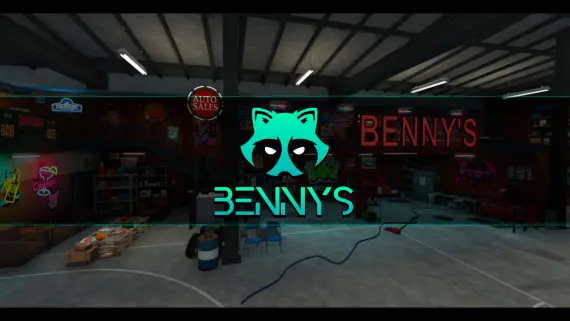
  • Civilian businesses and job locations: functional workplaces like car dealerships, tuning garages, grocery stores, and mechanic bays built with customer counters and working repair pits.
  • Nightlife and social venues: bars, nightclubs, and dining spots equipped with dance floors, private VIP rooms, stage areas, and DJ booths for player run events.
  • Criminal hideouts and custom shells: underground drug labs, gang clubhouses, luxury mansions, and blank interior shells configured for housing scripts or target interactions.

Compatibility & installation

Interiors operate at the map streaming layer, which makes them completely framework agnostic. You can deploy these MLOs on QBCore, ESX Legacy, Qbox, or custom standalone frameworks without converting code or tweaking server scripts.

Installing an MLO requires dragging the resource folder into your server resources directory and adding ensure resource_name to your server.cfg file. Each download includes an organized stream/ folder containing necessary YTYP, YMAP, and YBN files. For interiors replacing default GTA V buildings, follow the included README instructions to unload base IPLs inside your map controller script.

Why buy from us

Building a stable map manifest takes careful selection to avoid texture bugs and memory crashes. We curate maps from top creators to ensure your server maintains top performance and visual fidelity.

  • Keymaster asset delivery: assets route directly through official Cfx.re Keymaster systems, granting instant access to downloads and future creator updates.
  • Tested resmon performance: every interior undergoes testing to verify low streaming memory draw and clean performance under load.
  • Ready config data: access pre-calculated door hashes, coordinates, and target offsets so you can hook up lock systems and interaction scripts without manual measuring.
  • Dedicated support access: our support team assists with install steps, IPL conflict fixes, and map setup questions whenever you need help.

Questions about these FiveM scripts

What is a FiveM MLO?

An MLO is a custom 3D interior built into the GTA V map that allows players to walk directly into buildings without loading screens. These custom interiors replace empty vanilla buildings or add entirely new playable structures across Los Santos.

Are these MLOs compatible with QBCore, ESX, and Qbox?

Yes, all map interiors in this category stream at the engine level, making them standalone resources. They work on QBCore, ESX, Qbox, or custom frameworks without requiring framework specific modifications.

How do I set up doorlocks for a custom interior?

Most interior packages include door hashes and coordinate offsets in their documentation. You can paste these coordinates directly into ox_doorlock or qb-doorlock configuration files to lock and unlock specific doors.

What should I do if an MLO conflicts with a default GTA V building?

If a custom MLO modifies a vanilla site like Mission Row PD or Pillbox Hospital, you must disable the base game IPL. Disabling the original IPL in your map loader script removes duplicate props and overlapping walls.

How are map assets delivered after purchase?

Map resources are granted through the official Cfx.re Keymaster platform. Once purchased, the asset links directly to your Keymaster account for easy downloading and future updates.

Do custom interiors cause texture loss on high population servers?

Texture loss usually happens when map assets use uncompressed or oversized YTD files that exceed client VRAM. The interiors offered here are optimized to keep texture budgets low and prevent visual artifacting.